IPTV Free Trial 2026: 11 Smart Ways to Test IPTV Before Buying
Introduction
IPTV Free Trial is one of the easiest ways for viewers in the USA and Canada to evaluate an IPTV service before choosing a subscription. Instead of depending entirely on advertisements, customers can test the service on their own device, using their own internet connection, and decide whether the overall experience matches their expectations.
An IPTV trial can be useful for checking several important factors, including streaming stability, picture quality, application compatibility, content organization, device performance, and customer support. This is especially important because IPTV performance can vary depending on the combination of provider, application, device, and internet connection.
For example, someone using an Amazon FireStick may have different setup requirements from someone using a Smart TV or Android phone. A service that works well on one device may require a different compatible application on another.
In this guide, we’ll explain what an IPTV Free Trial is, what you should test during a trial, how to use one on popular devices, what can cause buffering or login problems, and how to evaluate a service before paying for a longer subscription.
We’ll also explain how FalconTV can help customers in the USA and Canada test IPTV before making a subscription decision
What Is an IPTV Free Trial?
An IPTV Free Trial is a temporary opportunity to test an IPTV service before purchasing a longer subscription.
Instead of immediately committing to a monthly, quarterly, or yearly plan, a customer can use the trial to evaluate the service under real-world conditions.
A typical trial can allow users to test areas such as:
- Live TV playback
- Sports-oriented programming
- Movies
- TV series
- Picture quality
- Application compatibility
- Device compatibility
- Playlist loading
- Streaming stability
- Customer support
The exact content and duration of a trial depend on the provider.
For this reason, customers should always check the current trial conditions before requesting one.
Why Is an IPTV Trial Useful?
IPTV is not only about the service itself.
The complete experience depends on several components:
IPTV Provider → Internet Connection → IPTV Application → Device → Television
If one component has a problem, the customer may experience buffering, login errors, poor picture quality, or difficulty loading content.
A trial gives you an opportunity to identify these issues before making a longer commitment.
Why Are IPTV Free Trials Popular in the USA and Canada?
The USA and Canada have large numbers of households using internet-connected televisions and streaming devices.
Viewers may use:
- Amazon FireStick
- Android TV
- Smart TVs
- Roku
- MAG Boxes
- iPhones
- iPads
- Android phones
- Tablets
This variety creates an important question:
Will the IPTV service work properly on my specific setup?
That is one of the main reasons an IPTV Free Trial can be valuable.
Instead of assuming that a service will work perfectly because it works for someone else, you can test it yourself
Will the IPTV service work properly on my specific setup?
That is one of the main reasons an IPTV Free Trial can be valuable.
Instead of assuming that a service will work perfectly because it works for someone else, you can test it yourself.
IPTV Testing in the USA
A viewer in the USA may use a FireStick connected to a television through Wi-Fi.
Another viewer may use an Android TV device connected through Ethernet.
These two customers can have completely different experiences even when using the same IPTV service.
That’s why your own testing matters.
IPTV Testing in Canada
The same principle applies to customers in Canada.
Before subscribing, Canadian users should consider:
- Device compatibility
- Application availability
- Internet stability
- Streaming performance
- Content availability
- Subscription terms
- Customer support
An IPTV Free Trial can help you evaluate these factors before making a longer commitment.
Benefits of an IPTV Free Trial
A good trial isn’t simply about watching a few minutes of television.
It gives you an opportunity to evaluate the complete IPTV experience.
1. Test Streaming Quality
Picture quality is one of the first things customers notice.
Depending on the service and available content, you may encounter:
- SD
- HD
- Full HD
- 4K
However, the resolution displayed on a website doesn’t automatically guarantee the same experience on your television.
Streaming quality can depend on:
- Source quality
- Bitrate
- Encoding
- Internet stability
- Device performance
- Application
- Television
During your trial, test content using the device you actually plan to use.
2. Check Streaming Stability
Stability is often more important than simply having a large content library.
During your IPTV Free Trial, pay attention to:
- Buffering
- Loading times
- Playback interruptions
- Stream recovery
- Audio synchronization
Don’t test for only two minutes.
Use the service at different times of the day.
For example:
Afternoon test → Evening test → Different content → Different device if available
This gives you a better understanding of real-world performance.
3. Test Your Device
Your trial should be performed on your primary viewing device.
If you plan to watch IPTV on a FireStick, test the FireStick.
If you plan to watch on a Smart TV, test the Smart TV.
If you plan to use an iPhone, test the iPhone.
This sounds obvious, but many users test IPTV on their phone and later discover that their television requires a different application or configuration.
4. Explore Content Categories
An IPTV Free Trial should give you an opportunity to explore the categories that matter to you.
Depending on the service, these can include:
- Live TV
- Sports
- Movies
- TV series
- Kids content
- International programming
- On-demand entertainment
Don’t judge the entire service based on a single stream.
Explore different categories.
5. Test Live Sports
Sports viewers have specific requirements.
Live content needs consistent playback because viewers generally don’t want interruptions during important moments.
During your trial, check:
- Loading speed
- Picture quality
- Playback stability
- Audio synchronization
- Application performance
If sports are one of your main reasons for using IPTV, test sports-related content during your normal viewing time.
6. Test Movies and TV Series
On-demand content should also be tested if it matters to you.
Check:
- Search
- Categories
- Loading
- Playback
- Navigation
- Resume functionality where available
A large movie or series library isn’t useful if finding content is difficult.
7. Test Customer Support
An often-overlooked part of an IPTV Free Trial is customer support.
Try asking a genuine technical question.
For example:
- Which application should I use?
- How do I install IPTV on my device?
- Why isn’t my playlist loading?
- Which settings should I use?
- Why am I getting an authorization error?
The quality and clarity of the response can tell you a lot about the customer experience.
What Should You Test During an IPTV Free Trial?
Use this checklist.
| Test | What to Check |
|---|---|
| Device | Does your main device work? |
| Internet | Is your connection stable? |
| Live TV | Does playback start quickly? |
| Sports | Is live playback stable? |
| Movies | Does on-demand playback work? |
| Series | Are categories easy to navigate? |
| Quality | Is the picture acceptable? |
| Application | Is navigation simple? |
| Playlist | Does content load correctly? |
| Support | Can you get technical assistance? |
| Timing | Does performance remain consistent? |
| Terms | Do you understand the subscription conditions? |
This approach is much better than simply opening one stream and deciding immediately.
How to Get the Most From Your IPTV Free Trial
A short trial can provide useful information if you test it properly.
Step 1: Use Your Normal Internet
Don’t test the service only on a different, faster connection.
Use the Wi-Fi or Ethernet connection you normally use at home.
This tells you whether the service is suitable for your actual environment.
Step 2: Test Your Main Television
If your primary viewing device is a television, test the IPTV service there.
Your phone may perform differently because it has:
- A different operating system
- Different network conditions
- Different application
- Different hardware
Step 3: Test During Different Times
Try the service during:
- Afternoon
- Evening
- Weekend
This can help you identify whether performance changes at different times.
Step 4: Test Different Content
Try several categories.
Don’t rely on one stream.
For example:
- Live TV
- Sports
- Movies
- Series
- Higher-resolution content where available
Step 5: Test the Application
Check whether the application is comfortable to use.
Look for:
- Search
- Favorites
- Categories
- Playlist management
- Playback controls
- Fast navigation
Step 6: Contact Support
If you have a genuine question, ask support.
This gives you an opportunity to understand how technical assistance works.
IPTV Free Trial vs Paid Subscription
A trial and a paid subscription serve different purposes.
| IPTV Free Trial | Paid Subscription |
|---|---|
| Short-term testing | Long-term access |
| Evaluate compatibility | Full subscription period |
| Test your device | Regular daily use |
| Test streaming | Continue watching |
| Reduce uncertainty | Full customer experience |
| Usually limited | Based on selected plan |
The purpose of a trial is not to provide unlimited long-term access.
Its purpose is to help you determine whether the service is suitable before purchasing.
How IPTV Compares With Traditional Cable TV
Traditional cable television and IPTV use different delivery models.
Cable television generally relies on dedicated cable infrastructure, while IPTV uses an internet connection to deliver content.
For many consumers, IPTV can offer more flexibility because compatible services can be used across different internet-connected devices.
A customer may potentially use IPTV on:
- FireStick
- Smart TV
- Android TV
- Smartphone
- Tablet
- Other supported devices
Traditional television packages may also involve equipment, channel bundles, and monthly costs that differ from internet-based services.
However, customers should compare the complete package rather than assuming that IPTV is automatically better for everyone.
Important factors include:
- Price
- Content
- Device compatibility
- Internet requirements
- Support
- Flexibility
- Subscription terms
The best choice depends on the individual viewer.
IPTV Free Trial for FireStick
Amazon FireStick is one of the most popular devices used for streaming.
An IPTV Free Trial can be especially useful for FireStick users because it lets them test the actual device before subscribing.
Before starting, check:
- FireStick model
- Fire OS version
- Available storage
- Internet connection
- Compatible IPTV application
Amazon provides official Fire TV documentation covering the platform and application environment. (Amazon Fire TV)
Basic FireStick Testing Process
- Install a compatible IPTV application.
- Open the application.
- Enter the information supplied by your provider.
- Allow the playlist or service to load.
- Test live content.
- Test on-demand content.
- Check picture quality.
- Test playback stability.
If you encounter a problem, restart the application and check your internet connection before assuming that the service itself is unavailable.
IPTV Free Trial for Android TV
Android TV is another popular environment for IPTV streaming.
Android TV provides a television-focused interface designed for applications and remote navigation. (Android TV)
During your trial, check:
- Application compatibility
- Remote navigation
- Playlist loading
- Search
- Favorites
- Playback
- Resolution
- Device performance
Don’t assume that an IPTV application behaves exactly the same way on Android TV as it does on a smartphone.
IPTV Free Trial for Smart TV
Smart TV compatibility varies depending on:
- Manufacturer
- Model
- Operating system
- Model year
- Application store
Before requesting an IPTV Free Trial, identify your exact television model.
This can save time during setup.
If your Smart TV doesn’t support the preferred application, another compatible streaming device may be an alternative.
IPTV Free Trial for Roku
Roku uses its own application ecosystem.
Roku’s official support resources provide information about applications, streaming, connectivity, and troubleshooting. (Roku Support)
Before choosing an IPTV setup for Roku, confirm compatibility with your exact configuration.
IPTV Free Trial for MAG Box
MAG Boxes are designed specifically for television streaming environments.
When testing IPTV on a MAG Box, check:
- Device model
- Firmware
- Network connection
- Portal configuration
- Provider compatibility
The setup process may differ from application-based IPTV systems.
IPTV Free Trial on iPhone and iPad
Mobile devices can be useful for testing because they allow you to evaluate IPTV outside your home television setup.
For iPhone and iPad, check:
- Compatible application
- iOS/iPadOS version
- Internet connection
- Account information
- Playback quality
Always use trusted application sources.
MAG Boxes are designed specifically for television streaming environments.
When testing IPTV on a MAG Box, check:
- Device model
- Firmware
- Network connection
- Portal configuration
- Provider compatibility
The setup process may differ from application-based IPTV systems.
IPTV Free Trial on Android Phones
Android phones can also be used for IPTV testing when supported by the provider and compatible application.
Before starting:
- Check Android version
- Install a compatible application
- Use a stable Wi-Fi connection
- Verify account information
- Test different content
Remember that mobile performance may not represent television performance.
What Can Cause IPTV Buffering During a Free Trial?
Buffering doesn’t necessarily mean the IPTV provider is the problem.
Several components can cause interruptions.
Internet Connection
Weak or unstable internet is one of the most common causes.
Wi-Fi Distance
A television located far from the router may receive a weaker signal.
Network Congestion
Other devices may be consuming bandwidth.
Application Problems
The IPTV player may need to be restarted or updated.
Device Performance
Older devices can sometimes struggle with demanding applications or high-resolution content.
Service-Side Problems
Occasionally, the issue can originate from the service itself.
The key is to troubleshoot systematically.
IPTV Free Trial Troubleshooting Table
| Problem | Possible Cause | First Action |
|---|---|---|
| Buffering | Wi-Fi/network | Test connection |
| Login error | Credentials | Recheck information |
| Playlist doesn’t load | App/account | Refresh playlist |
| One app fails | Application | Restart/update |
| Several apps fail | Network/account | Test connection |
| TV fails but phone works | Device/app | Check TV setup |
| Poor picture | Source/network | Test another stream |
| Audio delay | App/stream | Try another stream |
| Slow navigation | Device/app | Restart device |
What If IPTV Says “Failed to Authorize”?
Authorization errors can happen for several reasons.
Check:
- Username
- Password
- Server information
- Subscription status
- Internet connection
- Application configuration
If the same credentials fail on several compatible applications, contact the provider for assistance.
We also have a detailed guide:
IPTV Smarters Failed to Authorize
The important point is not to immediately assume that every authorization problem is caused by the IPTV provider.
Check each part of the setup systematically.
How FalconTV Uses an IPTV Free Trial
FalconTV provides an IPTV Free Trial for eligible users who want to evaluate the service before choosing a subscription.
The purpose of the trial is to let customers test the service under realistic conditions.
During the trial, customers can evaluate areas such as:
- Streaming quality
- Live TV
- Sports-oriented content
- Movies
- TV series
- Device compatibility
- Application performance
- Customer support
This can be especially useful for new IPTV users who aren’t sure whether their device or application will work correctly.
You can check the current trial availability through the FalconTV USA website.
What Can You Test With a FalconTV IPTV Free Trial?
Streaming Quality
Test playback using your normal internet connection.
Live TV
Explore different categories and check loading speed.
Sports
If sports are important to you, test live sports-oriented programming.
Movies
Check available on-demand content and playback.
TV Series
Test navigation and categories.
Device Compatibility
Use the device you actually plan to use after subscribing.
Customer Support
Ask for assistance if you need help with setup.
The objective is simple:
Find out whether FalconTV works well for your own setup before choosing a longer plan.
Why Choose FalconTV for an IPTV Free Trial?
When evaluating an IPTV provider, customers should look beyond the trial itself.
A complete experience can include:
- Large live TV selection
- Sports programming
- Movies and series
- HD and 4K content where available
- Compatible devices
- Setup assistance
- Customer support
- Subscription options
FalconTV focuses on providing customers with both IPTV access and technical guidance.
This is particularly useful for beginners.
Someone may have a compatible FireStick but still need help choosing an application and completing the setup.
Clear support can make the process considerably easier.
FalconTV Supported Devices
Depending on the current service and application compatibility, FalconTV can support IPTV setups involving:
- Amazon FireStick
- Android TV
- Smart TVs
- Roku
- MAG Box
- iPhone
- iPad
- Android phones
Exact compatibility depends on the device, application, and configuration.
That’s why we recommend testing your primary device during the IPTV Free Trial.
IPTV Free Trial and 4K Streaming
4K is one of the features that many IPTV users are interested in.
However, 4K isn’t determined by the television alone.
A complete 4K setup requires:
- 4K-capable content
- Compatible IPTV service
- Suitable application
- 4K-capable device
- 4K television
- Sufficient network performance
A 4K television cannot turn every lower-resolution stream into genuine native 4K.
During an IPTV Free Trial, test actual high-resolution content where available and see how your own device performs.
How Much Internet Speed Do You Need for IPTV?
There is no single internet speed that guarantees perfect IPTV performance.
Streaming depends on:
- Bandwidth
- Stability
- Latency
- Wi-Fi quality
- Network congestion
- Device performance
- Video bitrate
As a practical guide:
| Streaming Type | Connection Consideration |
|---|---|
| SD | Stable basic broadband |
| HD | Reliable broadband |
| Full HD | Stable higher-speed connection |
| 4K | Fast and stable connection |
The most important point is that stability matters as much as speed.
A connection with high advertised speed can still experience problems if Wi-Fi quality or network stability is poor.
How to Test IPTV During Peak Hours
One useful testing method is to use the trial at different times.
For example:
Morning
Test basic navigation and loading.
Afternoon
Test live and on-demand content.
Evening
Test streaming during your normal viewing period.
This can help you understand how the service behaves throughout the day.
Don’t make your entire decision based on a single five-minute test.
Common Mistakes During an IPTV Free Trial
Testing Only One Channel
One stream isn’t enough to evaluate an entire service.
Testing Only on a Phone
Your TV may behave differently.
Using a Different Internet Connection
Always test your normal home network.
Testing Only During the Morning
Performance can vary throughout the day.
Ignoring Application Problems
Sometimes the application, not the service, is responsible.
Ignoring Device Compatibility
Make sure your actual device is supported.
Not Contacting Support
If you have a problem, ask for help before deciding that the entire service doesn’t work.
IPTV Free Trial vs Free IPTV Websites
These are not necessarily the same thing.
A legitimate trial offered by an IPTV provider is generally designed to let a potential customer evaluate the provider’s service temporarily.
Random websites advertising “free IPTV” may operate differently.
Customers should be careful with websites that:
- Request unnecessary personal information
- Require suspicious downloads
- Ask for unusual payment details
- Make unrealistic promises
- Provide unclear service information
Use trusted websites and applications whenever possible.
IPTV Free Trial Checklist
Before ending your trial, use this checklist:
- Tested my main device
- Tested my normal internet
- Tested live TV
- Tested sports
- Tested movies
- Tested TV series
- Tested HD content
- Tested 4K where available
- Checked buffering
- Checked application navigation
- Checked playlist loading
- Tested customer support
- Reviewed subscription terms
- Confirmed device compatibility
If you can answer these questions, you’ll have much more information than someone who simply opened one stream for a few seconds.
Frequently Asked Questions About IPTV Free Trial
1. Device Compatibility
Make sure your primary device works.
2. Streaming Stability
Test different content and times.
3. Content
Check whether the available categories match your interests.
4. Application
Make sure you are comfortable using the player.
5. Support
Know how to contact customer service.
6. Pricing
Understand exactly what you’re paying.
7. Duration
Know how long your subscription lasts.
8. Device Limits
Check how many devices the plan supports.
9. Terms
Review the provider’s current conditions.
10. Trial Results
Base your decision on your actual experience.
What is an IPTV Free Trial?
An IPTV Free Trial is a temporary opportunity to test an IPTV service before purchasing a longer subscription.
How long does an IPTV Free Trial last?
The duration depends on the provider and current offer. Always check the current conditions before requesting a trial.
Can I use an IPTV Free Trial on FireStick?
Yes, when the IPTV service and compatible application support FireStick. FalconTV supports compatible Fire TV setups.
Can I test IPTV on Smart TV?
Yes, where the service and compatible application support your particular Smart TV.
Can I test IPTV on Android TV?
Yes, with a compatible application and supported device.
Can I use an IPTV Free Trial on iPhone?
Where supported, IPTV can be tested through a compatible application on iPhone.
Can I use an IPTV Free Trial on iPad?
Yes, where the provider and application support iPad.
Does an IPTV Free Trial include live TV?
A trial may provide access to live TV depending on the provider and current trial conditions.
Does an IPTV Free Trial include sports?
Sports-oriented programming may be available during a trial depending on the service and current availability.
Can I watch movies during an IPTV Free Trial?
Where on-demand content is included, customers can test movies during the trial.
Can I watch TV series?
Yes, where TV series are included in the trial.
Can I test 4K IPTV?
If 4K content is available during the trial and your complete setup supports 4K, you can test it.
Why does IPTV buffer during my trial?
Buffering can result from Wi-Fi, network congestion, device performance, application issues, or service-side problems.
Does faster internet always fix IPTV buffering?
No. Stability, latency, Wi-Fi quality, device performance, and other factors can also affect playback.
What should I do if my IPTV login doesn't work?
Check your credentials, internet connection, server information, subscription status, and application configuration. If the issue continues, contact support.
What if my playlist doesn't load?
Restart the application, check your internet connection, verify your account information, and refresh the playlist.
Should I test IPTV before buying a long subscription?
If an IPTV Free Trial is available, testing first can help you evaluate compatibility and performance.
Is IPTV the same as an IPTV player?
No. The provider supplies the IPTV service, while the player is the application used to access it.
Do I need technical experience to use IPTV?
No. Many IPTV setups are straightforward, and installation assistance can make the process easier for beginners.
Why Testing Before Buying Makes Sense
Choosing an IPTV subscription is easier when you have real information about your own setup.
You don’t need to guess whether:
- Your FireStick works
- Your Smart TV is compatible
- Your Wi-Fi is stable
- The application is easy to use
- Live playback works properly
- Movies load correctly
- Support is responsive
A properly used IPTV Free Trial can answer many of these questions.
That’s why trial testing can be more useful than relying solely on online advertisements or reviews.
IPTV Free Trial for USA Viewers
For customers in the USA, the most important thing is to test IPTV under normal home conditions.
Use:
- Your primary television
- Your normal Wi-Fi
- Your preferred device
- Your usual viewing times
If you normally watch IPTV in the evening, test the service in the evening.
If you use a FireStick, test it on your FireStick.
This creates a realistic evaluation.
IPTV Free Trial for Canada Viewers
Canadian viewers can use the same approach.
Check:
- Device compatibility
- Internet stability
- Application compatibility
- Content availability
- Customer support
- Subscription conditions
Availability can depend on the provider and location, so always check the latest service information before requesting a trial.
FalconTV IPTV Free Trial
If you’re looking for an IPTV Free Trial in the USA or Canada, FalconTV provides customers with an opportunity to test the service before choosing a subscription when a trial is available.
You can use the trial to evaluate:
- Live TV
- Sports-oriented programming
- Movies
- TV series
- Streaming quality
- Device compatibility
- Application performance
- Customer support
The best approach is to test everything on your actual setup.
Visit the official FalconTV USA page to check the current trial availability and service information.
Ready to Test FalconTV?
Looking for an IPTV Free Trial in the USA or Canada? Visit FalconTV today, request your trial when available, test the service on your own device, and discover how IPTV fits your viewing needs before choosing a subscription.
You can start from the official FalconTV USA website.
Conclusion
An IPTV Free Trial gives viewers an opportunity to evaluate an IPTV service before committing to a longer subscription. Instead of relying only on promotional claims, you can test the service using your own device, internet connection, application, and normal viewing habits.
For viewers in the USA and Canada, this can be especially useful because IPTV setups vary considerably between FireStick, Android TV, Smart TVs, Roku, MAG Boxes, iPhone, iPad, and Android devices.
During your trial, take time to test live TV, sports-oriented programming, movies, TV series, picture quality, streaming stability, application performance, and customer support. If you experience buffering or login problems, troubleshoot your internet connection, device, and application before assuming that the provider is responsible.
FalconTV gives eligible customers an opportunity to test its IPTV service through an IPTV Free Trial when available. You can use the trial to determine whether the service works well with your preferred device and internet connection.
Don’t rush the testing process.
Test your setup. Explore the service. Ask questions. Then choose the subscription that fits your needs.
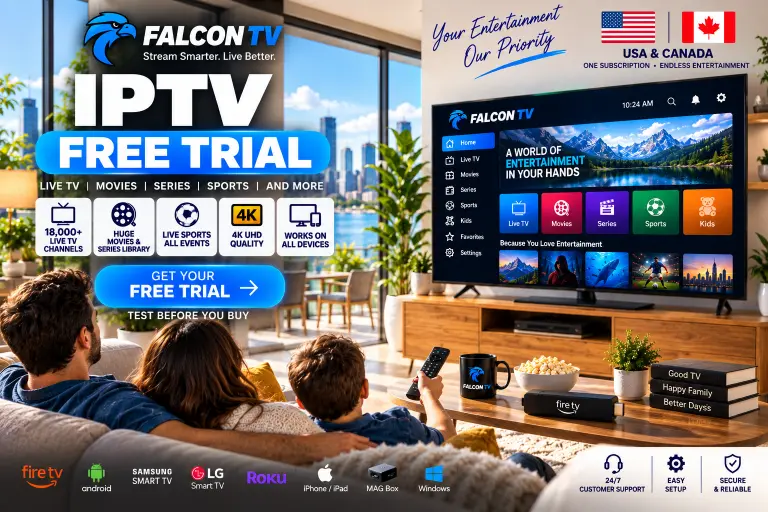
Start Your IPTV Free Trial
Ready to test IPTV before you buy? Visit FalconTV USA today, check the current IPTV Free Trial availability, and experience the service on your own device.