How to Install TiviMate on FireStick (2026 Easy Guide)
Looking for the fastest way to install TiviMate on FireStick?
At FalconTV, we regularly help customers set up IPTV on FireStick devices. Among the many IPTV players available today, TiviMate is one of the applications we recommend most because of its simple interface, excellent performance, and full support for Xtream Codes and M3U playlists.
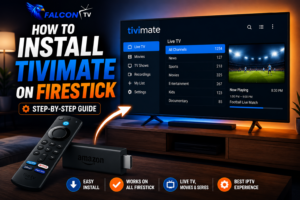
In this guide, you’ll learn how to install TiviMate on FireStick step by step using Downloader code 272483. The process takes only a few minutes and works on FireStick, FireStick 4K, and FireStick 4K Max devices.
Once installed, you can connect your IPTV subscription and start watching live TV, movies, and series within minutes.
What Is TiviMate?
TiviMate is one of the most popular IPTV player applications available for FireStick and Android TV devices. It offers a modern TV-style interface, playlist management, EPG support, and an excellent viewing experience.
According to Wikipedia, IPTV (Internet Protocol Television) delivers television content through internet networks instead of traditional cable or satellite systems.
Many IPTV users combine TiviMate with premium IPTV providers such as FalconTV because of its smooth interface and excellent compatibility with FireStick devices.
Why Use TiviMate on FireStick?
TiviMate on FireStick offers several advantages:
Easy navigation with a FireStick remote
Xtream Codes support
M3U Playlist support
Modern user interface
Fast channel switching
EPG integration
Favorites management
Excellent performance on Fire TV devices
Before Installing TiviMate on FireStick
Before you install TiviMate on FireStick, make sure you have
Stable internet connection
Downloader app Amazon FireStick device
installed
IPTV subscription details
Once everything is ready, you can begin the installation.
Step 1: Open Downloader
From the FireStick home screen, launch the Downloader application.
If Downloader is not installed, download it directly from the Amazon App Store.
After opening Downloader, you’ll see a field where you can enter a code
Step 2: Enter the Downloader Code
Inside Downloader, enter the following code:272483 Press Go.
Downloader will automatically retrieve the TiviMate installation file.
Wait a few moments for the download to complete.
Step 3: Install TiviMate on FireStick
After the download finishes:
Click Install
Wait for the installation to complete
Select Open
Launch TiviMate
Congratulations! You have successfully completed the process of installing TiviMate on FireStick.
How to Set Up TiviMate on FireStick
After opening TiviMate for the first time, you’ll need to connect your IPTV subscription.
Add Your IPTV Playlist
Open TiviMate
Select Add Playlist
Choose Xtream Codes Login
Enter:
Server URL
Username
Password
Click Next and wait for TiviMate to load your channels.
Within moments, your live TV channels, movies, and series will appear.
Using Xtream Codes Login is usually the easiest way to set up TiviMate on FireStick because playlists and EPG information are imported automatically.
Try a Free IPTV Trial with FalconTV
Before purchasing an IPTV subscription, many users prefer testing the service first. A free IPTV trial lets you evaluate channel quality, streaming stability, sports coverage, and overall performance on TiviMate. At FalconTV, users can test the service before committing to a subscription.
https://falcontv.nl/After installing TiviMate on FireStick, selecting a reliable IPTV provider is essential. FalconTV offers stable streaming, premium channels, sports packages, movies, TV series, and responsive customer support for users in the USA and Canada.
click her: falcontv.nl
Need Help? FalconTV Support Is Here
If you experience any issues while installing or configuring TiviMate, the FalconTV support team can help with FireStick setup, Xtream Codes login, playlist configuration, IPTV activation, and troubleshooting.
Thousands of users across the USA, Canada, and around the world choose Falcon TVfor reliable IPTV streaming. Visit Falcontv.nl to explore premium IPTV subscriptions, free trials, sports channels, movies, TV shows, fast activation, and dedicated customer support.
Conclusion
Now you know how to install TiviMate on FireStick using Downloader code 272483. Follow the steps above, add your IPTV login details, and start streaming in minutes.
For a reliable IPTV experience, visitFalconTV.nl explore IPTV subscriptions, free trials, and setup assistance from FalconTV.
We use cookies to ensure that we give you the best experience on our website. If you continue to use this site we will assume that you are happy with it.